PLAN WORSHIPRCI
Silhouetted worshipers before rising incense smoke that spells out "Jesus," lit by rays of light

Build a worship set that flows.1·5·6·4

Every song section reduced to four Nashville numbers, so you can see which songs mash up, which tags land, and how a Sunday moves — from the exhortation through three slots to the send-out.

Service Flow Builder

Lay out Sunday

Drag songs into the 1, 2 and 3 slots. Tags and mashups appear as cards between them, with a match score and the why. Time budget, "lost in the sauce" guardrail, and a printable set list.

Open the builder →
Mashup & Tag Finder

Find what fits

Type a song, pick a section, and see exact and fuzzy partners — rotations, near substitutions, tempo and meter notes — plus progression families and a key renderer.

Open the finder →
Baptism Flow Builder

Plan the water

A same-key pool the MD cues live, a per-candidate cycle with build-to-the-dunk markers, and totals that follow the candidate count day-of.

Plan Baptism →
Baby Dedication Flow Builder

Bless the families

A brief message, family introductions that scale with the roster, a pad-underscored blessing prayer, and a song sung over the families.

Plan Dedication →
3-Day Conference Flow Builder

Stack the weekend

Five sessions from Friday night to Sunday night, stacked as days on one canvas — rally, encounter and Sunday templates, sized for small to mega.

Plan Conference →
Mega Mash

Go the distance

Four songs, seventeen minutes, no underscore. When the night belongs to worship — a worship night, a conference session — nobody wants a set list, they want one long climb. Build your own chain seam by seam, or read the worked one first — both are live.

Make your Mega Mash →

Songs as loops

Every section — chorus, bridge, verse — is split out and loosely fit into a 4-bar stanza: one Nashville number per bar, like 4-1-5-6. Same loop starting on a different bar (6-4-1-5) is the same family.

Approximate on purpose

Squeezing a section into four bars drops some of what's actually played — a 9th, a 7th, a passing chord. Results are a starting point: they tell you which chart to pull up next, not the exact phrasing of every song. Confirm by ear.

Your songbook, in the browser

The RCI songbook loads automatically. Edits and plans stay in your browser; export a new spreadsheet whenever you want to keep them.

Tease, tag, mashup

Three ways to put two songs next to each other. What tells them apart is simple: how much of the second song the room actually hears.

Tease

You play the opening of a song everyone knows — four bars, the riff, the part they recognise — and then land on a different song. The teased song never gets played. You borrowed its front door. One instrument does the whole job, and the two songs never have to share a tempo, because they never touch.

Tag

The band keeps playing one song and changes nothing. A vocalist sings a section of a different song over the top of it. Since nothing underneath them moves, the two loops have to be identical — but that is the whole cost. A tag can be called on the spot.

Mashup

Both songs get played, joined into one piece. That needs a shared loop, tempos close enough to play straight through, and one key covering both. It is the whole band and the tracks, so a mashup is built weeks ahead and kept in a library — not decided on Sunday morning.

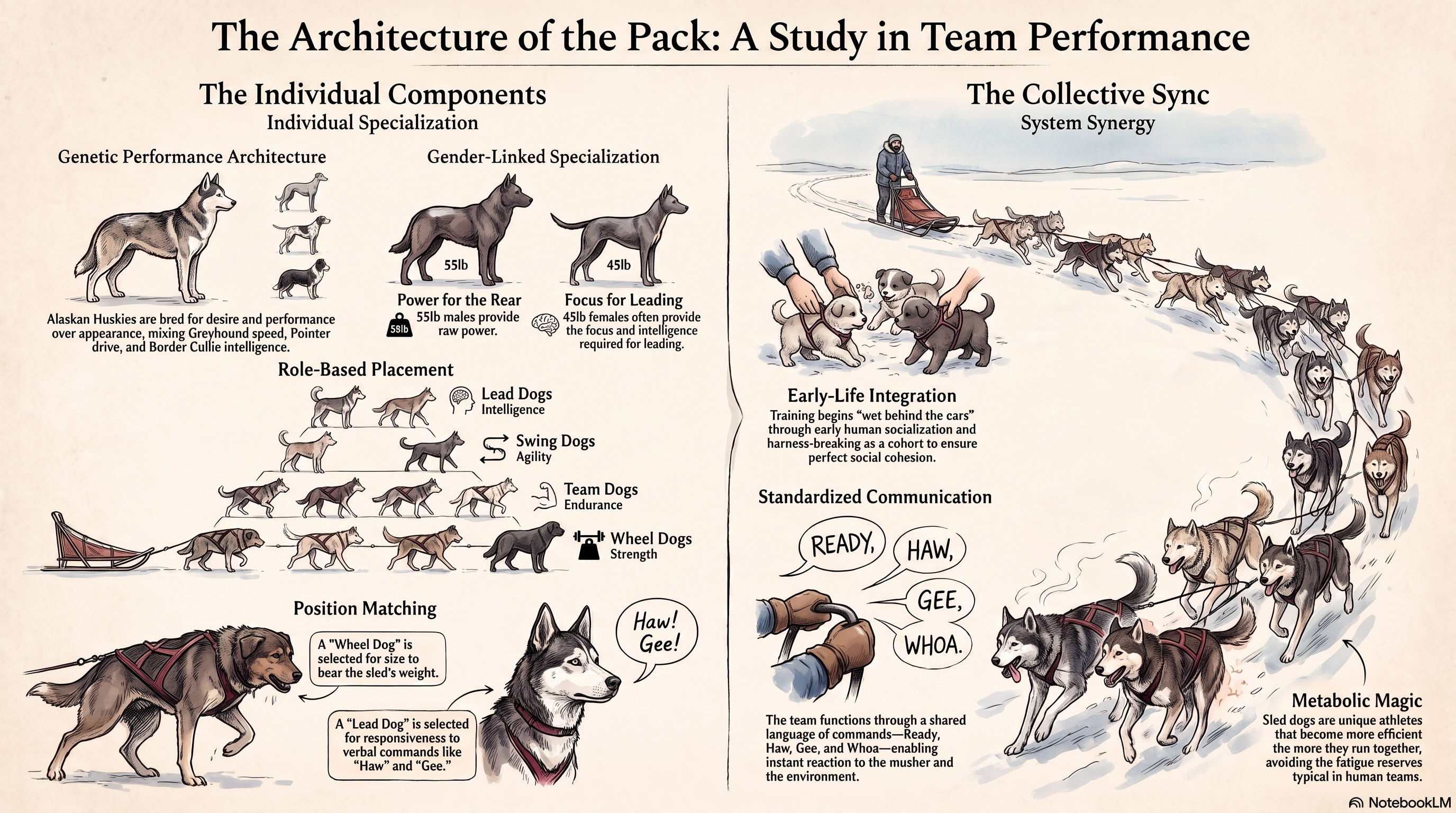
Infographic: "The Architecture of the Pack" comparing sled-dog team roles to team performance Click to view full size
It’s in their nature, because they were bred, called, and trained for this. Many paws, make light, the load

Coming Soon

Sunday is one morning. Getting to it takes 26 processes, over a thousand messages, more than a hundred people, and up to five services a month.

Two things are in development. The Claude plugin does the work an assistant would do if you had one — build the set, chase the charts and patches, draw the stage, draft the Tuesday message to the team. The MCP server plugs it into Planning Center, CERVIS, or whatever you already schedule in, so it knows who your people are, what they play, and who is actually on this week.

Additional Tools (unsponsored)

RiderMaker · ridermaker.com

Draw the stage

A free browser stage-plot builder — drag drums, guitars, amps, keys, strings, winds, mics and people onto the stage, then save and share the plan. The picture band practice owes the production team by Thursday.

Open RiderMaker →
RockBoard · Board Configurator

Lay out the pedals

“Create and configure your own pedalboard” — plan a board in the browser before you buy or rebuild one, so the rig on the stage plot is the rig that actually fits.

Open the Configurator →
Chordii · chordii.com

Spin the numbers

A physical chord wheel and progression cards built on the same Nashville-number idea as this songbook — spin to find every chord in every key, transpose on the fly, no guessing on the platform. Wheels, capo guide, and an app.

Visit Chordii →
Paul Baloche · The Worship Series

Watch it taught

Paul Baloche’s Leading Worship video series on YouTube — the teaching from his book in video format: choosing songs, keys the room can sing, flowing between moments, and leading a band from the platform.

Watch the Series →
Worship Ministry Training · resources

Grow the craft

Free downloads for the leading side of the platform — a Nashville Numbers cheat sheet, capo and relative-key charts, an audition packet template, a month of team devotionals, and a ministry calendar — plus e-books, a podcast, and a free course.

Visit Worship Ministry Training →
Worship Artistry · free resources

Learn your part

Free guides from a role-based lesson site — an easy capo chart, a setlist-building guide, small-church resources, and team-growth material, alongside per-instrument song lessons for vocals, guitars, keys, bass, and drums.

Visit Worship Artistry →